
Questions & answers
Before you ask.
What MTB Mate does, what it costs, how the numbers are made and where your data goes — in plain language.
Getting started
Is MTB Mate free? What does Pro add?
Yes. The calculators are free, and you don’t need an account to use them.
- Guest — tire pressure and suspension calculators, no sign-in.
- Free account — save 1 bike with 2 setups, plus your last 10 calculations, synced across devices, and service reminders for its parts.
- Pro — unlimited bikes, setups and history, plus AI tuning advice.
Backup and export, temperature, rim width, pack weight and the comfort / performance balance are all free; the last four appear in the Enthusiast and Expert interface modes (Settings → Appearance → Interface).
Pro is a subscription billed by Google Play, monthly or yearly, with a 1-month free trial. The price is shown in the app and on the Play listing for your country.
Do I need an account?
Not for the calculators. Open the app, enter your weight and bike, and you get pressures.
Sign in (Google, or email and password) when you want to keep what you dial in: your bikes, setups, ride feel history, sag measurements and service reminders are saved to your account and synced to any phone you sign in on.
Which bikes and brands does it support?
Any brand of bike, fork or shock. MTB Mate works from your weight, tire width and bike type, the same rider-weight method suspension manufacturers print on their fork legs, so it doesn’t need a database entry for your exact model.
Bike types: XC (hardtail and full), trail (hardtail and full), enduro, downhill, e-MTB (trail and enduro), fat bike, gravel, cyclocross and road. Each type has its own safe pressure band, shifted for your tire width.
For suspension, you enter your fork and shock travel and MTB Mate gives a sag-based starting pressure plus damping click guidance where the component has external adjusters.
Does it work for e-MTB, gravel or road bikes?
Yes.
- e-MTB — pick the e-MTB trail or enduro type. Tire pressure is adjusted for the extra bike weight: you enter the bike’s weight and MTB Mate shifts the tire pressures accordingly (suspension stays rider-weight-driven, as the manufacturers intend).
- Gravel, cyclocross and road — each has its own pressure band with tire width in millimetres. Road pressures are much higher, and the safe band reflects that.
The fork and shock calculators apply to any bike that has them.
Which languages and platforms? Is there an iPhone version?
MTB Mate is an Android app (Android 8.0 and newer), available on Google Play in English, French, German, Spanish, Italian and Brazilian Portuguese. The app follows your phone’s language, and you can override it in Settings. The AI advisor answers in the app’s language too.
There is no iPhone version yet. If that’s what you’re waiting for, tell us — it helps decide what comes next.
Pressures & sag
How accurate are the pressures? Are they safe?
They are a starting point, not a verdict. Tire pressures come from your weight, tire width and bike type; fork and shock pressures from your weight and the sag target for your bike type. That is the same method the manufacturers’ own charts use, and it lands most riders within a couple of psi of where they end up after a few rides.
Every number is checked against a safety band for your bike type and tire width. Pressures in the caution zone are flagged, and the calculator never suggests something outside the danger limits.
MTB Mate cannot know your rim’s or tire’s rated limits, your riding style, or the state of your suspension. Stay within your tire, rim and suspension manufacturers’ published limits. Your setup is your responsibility.
Why a safe range and not just one number?
You get both. The big number is the recommendation. The band around it shows where it’s safe to move: softer for grip and comfort, firmer for support and rolling speed.
Two riders of the same weight on the same bike rarely want the same pressure. The band lets you drift with the trail, the weather and how you feel, without leaving the safe zone. The comfort / performance balance slider (Enthusiast and Expert modes) moves the recommendation inside the band for you.
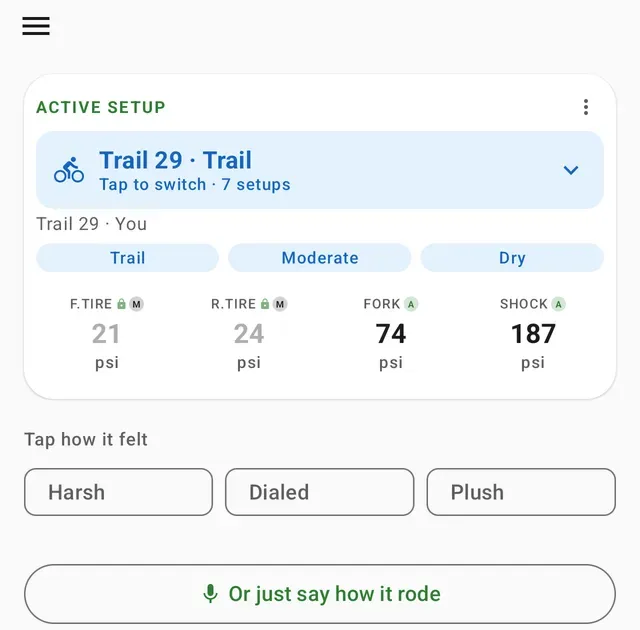
Under the tire pressures, the app also says why the rear runs firmer (it carries more of your weight) and what to try first: add a little if the tires feel squirmy in corners, take a little off if they feel harsh or skip.
How do I measure sag?
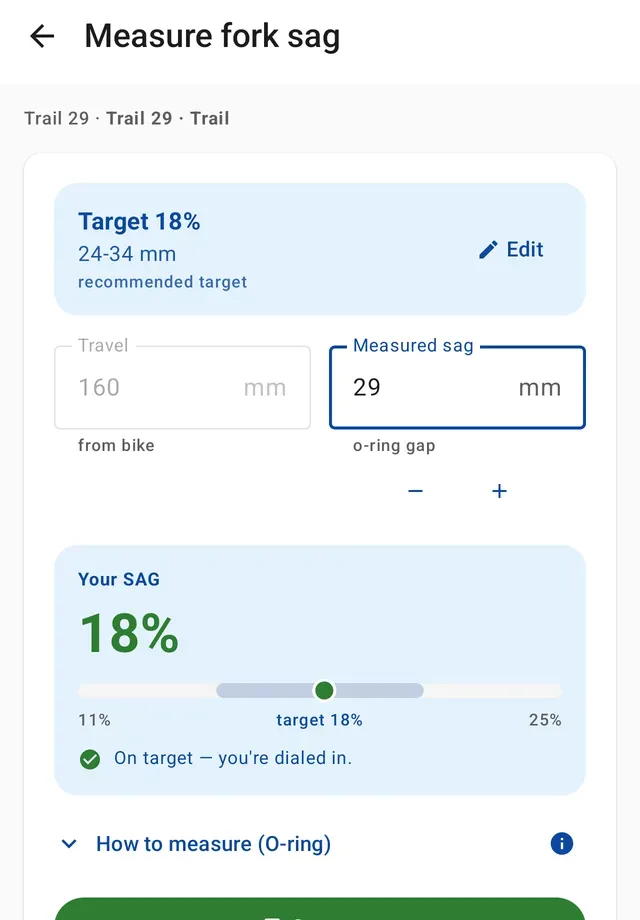
Sag is how much your suspension compresses under your weight when you sit on the bike, as a percentage of total travel. Typical targets sit around 15–20 % on the fork and 25–30 % on the shock, but they vary with bike type and riding style: downhill and traction-focused setups run deeper. MTB Mate shows the exact target for your bike, so use that number, not the rule of thumb.
- Set the fork or shock to the recommended pressure and open its rebound fully (fastest).
- Push the O-ring down against the seal.
- Get on in your riding gear, stand or sit in your normal riding position, then step off gently without bouncing.
- Measure the gap between the seal and the O-ring in millimetres.
- Enter it in Measure sag — MTB Mate turns it into a percentage and tells you if you’re on target.
Why do fork and shock pressures only show in psi?
Shock pumps are marked in psi the world over, and manufacturers publish their air-spring charts in psi, so MTB Mate keeps fork and shock pressures in psi to match what you read on the pump.
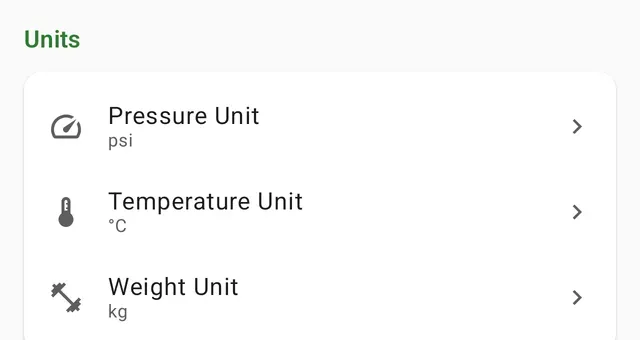
Tire pressures follow your preference: psi, bar or kPa, set in Settings → Units → Pressure unit. Temperature and weight units are there too.
Can I read tire pressure in bar or kPa at the pump?
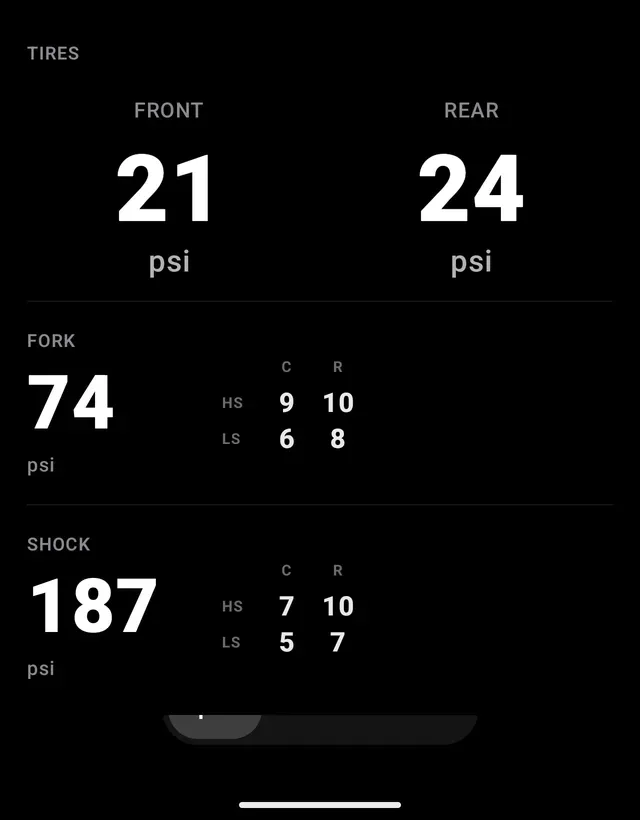
Yes. Open a setup and tap Pump mode: the screen goes dark with large numerals that stay on while you pump, and a psi / bar / kPa toggle at the bottom so you can match whatever gauge is in your hand.
Does it work offline?
Yes. The calculators, your saved bikes and setups, sag measurement, pump mode and service reminders all work with no signal, which is where most trailheads are.
If you’re signed in, changes you make offline are kept on the phone and synced to your account when you’re back online. The AI tuning advisor is the one feature that needs a connection.
Tuning & AI
How does the "how did it feel" loop work?
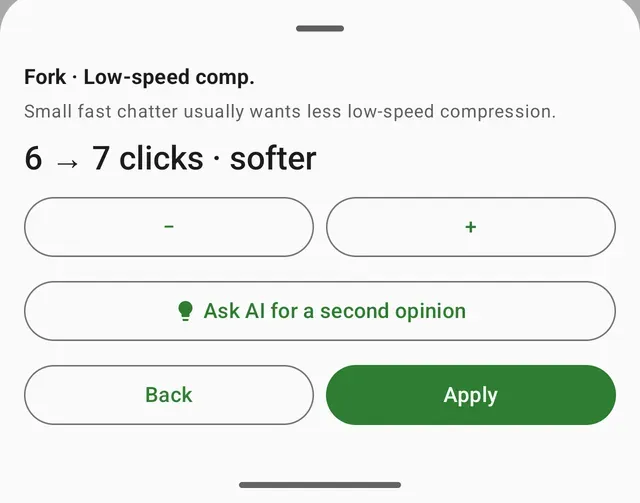
After a ride, tap how it felt on the Home screen: Harsh, Dialed or Plush. If it wasn’t dialed, say where — small fast chatter, big hits, can’t use the travel, squirming in corners — and MTB Mate proposes one change, with the clicks or psi spelled out. Apply it, ride, repeat.
Every feel and every change goes into the setup’s timeline, so next time you’re not starting from a guess. The loop is available in the Enthusiast and Expert interface modes (Settings → Appearance → Interface).
What are volume tokens, and does MTB Mate track them?
Volume tokens (spacers) sit inside an air fork or shock. More tokens make the end of the travel firmer, so it bottoms out less; fewer let you use more of the travel. Sag stays the same — tokens change how the spring ramps up, not where it sits.
Record how many are in each air spring on the setup, and MTB Mate keeps the count with your pressures and clicks. If you’re not sure, leave it unset. Coil springs don’t take tokens, so the app doesn’t ask for them there.
Changing tokens is a workshop job: let the air out, open the air spring and make the change before your next ride. Follow your fork or shock maker’s instructions and its maximum token count.
What is the AI advisor, and can I trust it?
The AI advisor is a Pro feature. It reads your current setup, your bike and rider profile, and what you said about the ride, and answers with a suggestion and the reasoning behind it. You can also dictate a free-form ride note and let it work from that. Besides clicks and pressure, it can suggest adding or removing a volume token — a workshop change. If you haven’t saved how many are in the spring, the app asks first, so it can show the change as a count.
Treat it like a knowledgeable riding buddy, not a mechanic: it can be wrong. It’s grounded in the same safe bands as the calculator, and it will not push you outside your components’ rated range, but you are the one turning the dial. Answers are marked AI-generated, and there is a monthly usage limit.
Your setup data is sent to Google’s Vertex AI to generate the answer; see the privacy policy for what leaves your phone.
Parts & service
How do service reminders work?
Open a bike’s Parts & service. MTB Mate already knows its fork, shock and tires from the bike’s specs, so it creates those parts for you — plus tubeless sealant if you run tubeless — each with a default interval from the maker’s service guide. The only question is when it was last serviced.
Each service is due at whichever comes first: its ride hours or its months. Ride hours are estimated from how much you ride that bike each week (3 hours to start; change it any time), so the clock runs without logging every ride and without Strava or anything else to connect.
When something is due you get a notification, a Service due card on Home and a list under Reminders. Log the service straight from the notification, or snooze it. You can add other parts (chain, cassette, brake pads, rotors, dropper, pivot bearings and more), change any interval, note what a service cost and where, and see each part’s history. Wear parts like tires and chains are replaced, not serviced; a fork, shock, wheelset or dropper can move to another bike and keeps its hours.
Reminders are free with an account and sync across your phones. Guests are asked to sign in first. Turn them off, or get them earlier, in Settings → Reminders & notifications.
Pro & your account
How do I cancel Pro?
Pro is billed by Google Play, so you cancel it there: open the Play Store, tap your profile picture, then Payments & subscriptions → Subscriptions → MTB Mate → Cancel. You keep Pro until the end of the period you’ve paid for.
Cancelling during the free trial costs nothing. Deleting your MTB Mate account does not cancel the subscription — always cancel in Google Play first. Refunds follow Google Play’s policy.
How do I delete my account and data?
Two ways, same result:
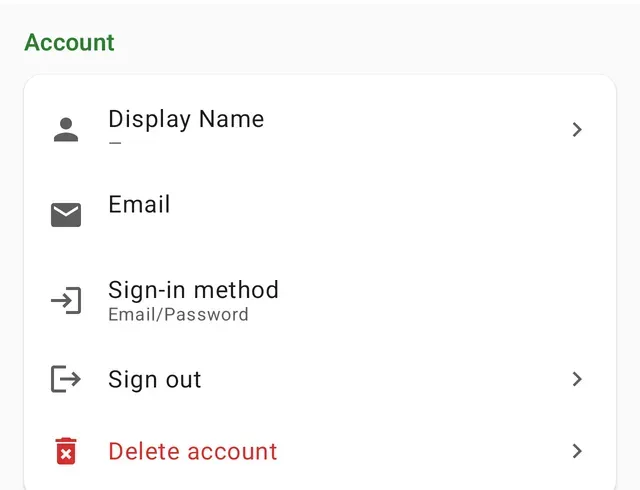
- In the app: Settings → Account → Delete account.
- Without the app: sign in on the delete your account page here.
Both remove your account, rider profiles, bikes, setups, ride history, sag measurements, parts and service history, AI-advisor records and any uploaded photo. Deletion is permanent and cannot be undone.
If you have an active Pro subscription, cancel it in Google Play first — deleting the account does not stop billing.
Something else?
Contact us